

The
making of
The
making of
making of
Behind-the-scenes of the Underoath - Aaron Gillespie sessions.



Aaron is a jack of all trades and a master of them all. Throughout his career, he has left his mark on the music world as the drummer and singer for Underoath, being a studio drummer, as well as a well-rounded music producer and multi-instrumentalist.
With the goal of making a virtual instrument that would be the best representation of Aaron's distinctive sound, we created an all around music writing tool that sparks inspiration in the most authentic way possible.
Presenting, MixWave: Underoath - Aaron Gillespie.


From vintage to modern, have all the versatile tones of Aaron's arsenal. Mixed and ready to go out of the box.
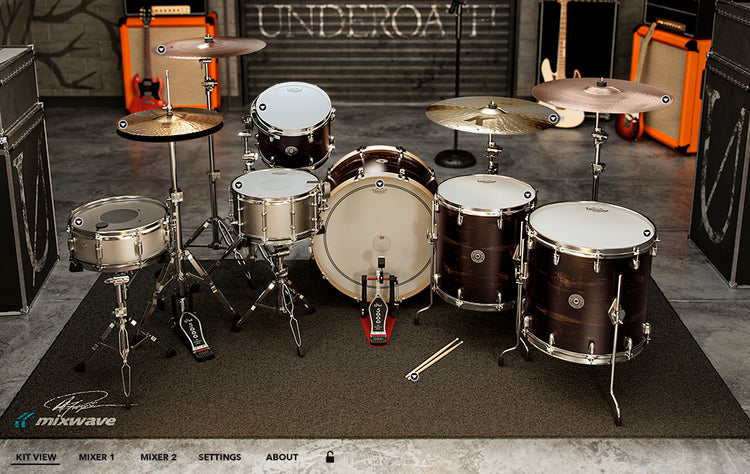
Featuring 2 kicks, 6 snares, 6 toms, and 4 cymbals each with an alternate vintage mix - all sampled by Aaron Gillespie and mixed at MixWave Studios.
Go from completely raw samples to mix-ready drums with one click using the fully featured and intuitive mixer-style interface.
Dial in pre-mixed reverbs, FX, or the additional built-in master channel fx including a compressor, EQ, and tape saturation.


With an extensive amount of features, tools, and controls, MixWave: Underoath - Aaron Gillespie can live up to any task.
Built for Kontakt - No Additional Software Needed
Compatible with Native Instruments Hardware

Brand: Gretsch*
Model: Brooklyn
Material: Antique Maple


*All other manufacturers’ product names are trademarks of their respective owners, which are in no way associated or affiliated with MixWave.

A Kontakt instrument that is always ready to go the moment inspiration strikes. Easily bring your ideas to life with the libary's clean layout and intuitive interface.
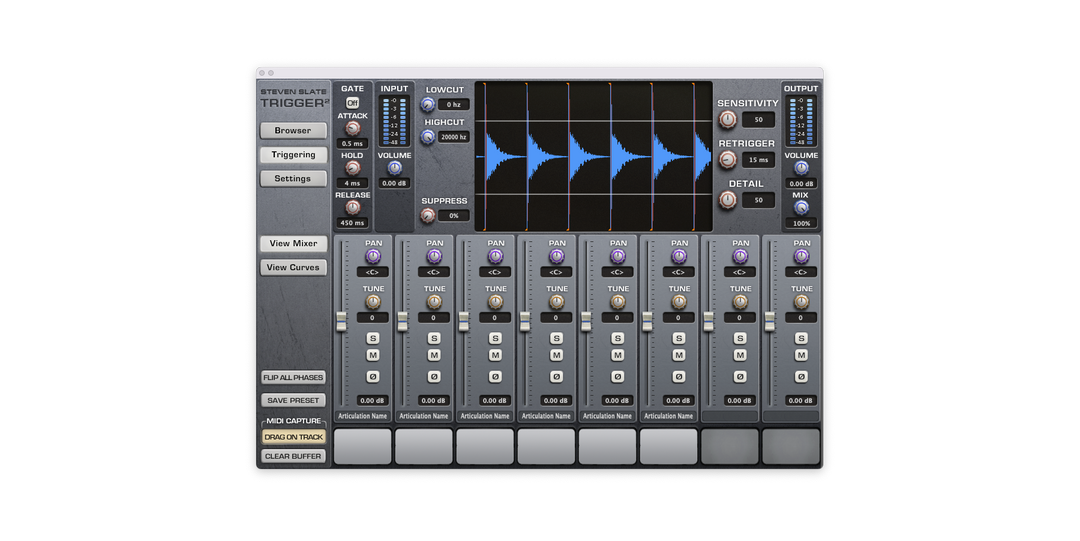
A library of drum replacement files for use with Slate Trigger. Replace, layer, or blend with a live recorded drum performance using either the fully mixed or completely unprocessed drum shell .TCI files.

Due to limitations outside of our control, we are unable to offer free trials for MixWave drum libraries.
MixWave drum libraries can be activated on two computers under the same Native Instruments account. Installation and activation are managed through Native Access 2, allowing you to install the library on multiple systems associated with your account.
MixWave drum libraries run inside Kontakt or the free Kontakt Player and are installed and managed through Native Access 2. To use a MixWave drum library you will need a Native Instruments account, Native Access 2, Kontakt Player (free) or Kontakt.
You can run the library in Kontakt Standalone or inside Kontakt in a compatible DAW.
MixWave drum libraries run inside Kontakt, which supports VST, AU, and AAX formats. Because of this, they work with most modern DAWs including Pro Tools, Logic Pro, Ableton Live, Studio One, Cubase, Reaper, FL Studio, GarageBand, Reason, and more.
For additional compatibility details, see our Library DAW Compatibility article.
MixWave drum libraries are supported on macOS and Windows systems and require Kontakt or the free Kontakt Player, along with Native Access 2 for installation and activation.
For complete compatibility details, including minimum supported operating systems and Kontakt versions, please visit our Library System Requirements article.
Visit our Knowledge Base for more information.
